Zum Hauptinhalt springen

#287 Compatibility Issue: EasyBlog missing icons when template uses Font Awesome 6

Veröffentlicht in ‘EasyBlog’
Dies ist ein öffentliches Ticket

Jeder kann den Inhalt sehen. Geben Sie keine Benutzernamen, Passwörter oder andere sensible Informationen ein.

Letzter Beitrag von CreativeGraphics Support am Donnerstag, 04. Juni 2026 18:43 UTC

basfas

Hello,

I am experiencing an issue where EasyBlog icons are not rendering (displaying as empty squares) when using a template that natively loads Font Awesome 6, such as the Astroid Framework.

Upon inspecting the elements (e.g., the entry meta icons like .fdi.fa.fa-align-left), I noticed that EasyBlog is still outputting legacy Font Awesome 4 classes (.fa). Because Font Awesome 6 strictly requires font-weight: 900 to render solid icons, and this weight is not defined by EasyBlog's CSS for these specific elements, the browser fails to display the icon.

Steps to Reproduce / Environment:

  • CMS: Joomla 6.1.1
  • Template: Astroid Framework 3.4.2 (with Font Awesome 6 enabled)
  • Extension: EasyBlog
  • Symptom: Icons in the article header/meta disappear.

The Workaround I Applied:

I managed to temporarily fix the issue on my end by loading the FA6 v4-shims.css and adding the following custom CSS to force the correct parameters:

#eb i.fa, #eb span.fa, #eb .fdi {
font-family: "Font Awesome 6 Free" !important;
font-weight: 900 !important;
}

Feature Request / Fix:

Could you please look into this compatibility issue? It would be highly appreciated if EasyBlog could include native support for Font Awesome 6 markup (using .fas / .fa-solid) or provide an advanced setting to ensure legacy classes receive the proper font-weight: 900 when FA6 is detected.

Thank you!


CreativeGraphics Support

Hi

FontAwesome 6 is already implemented in Blog.

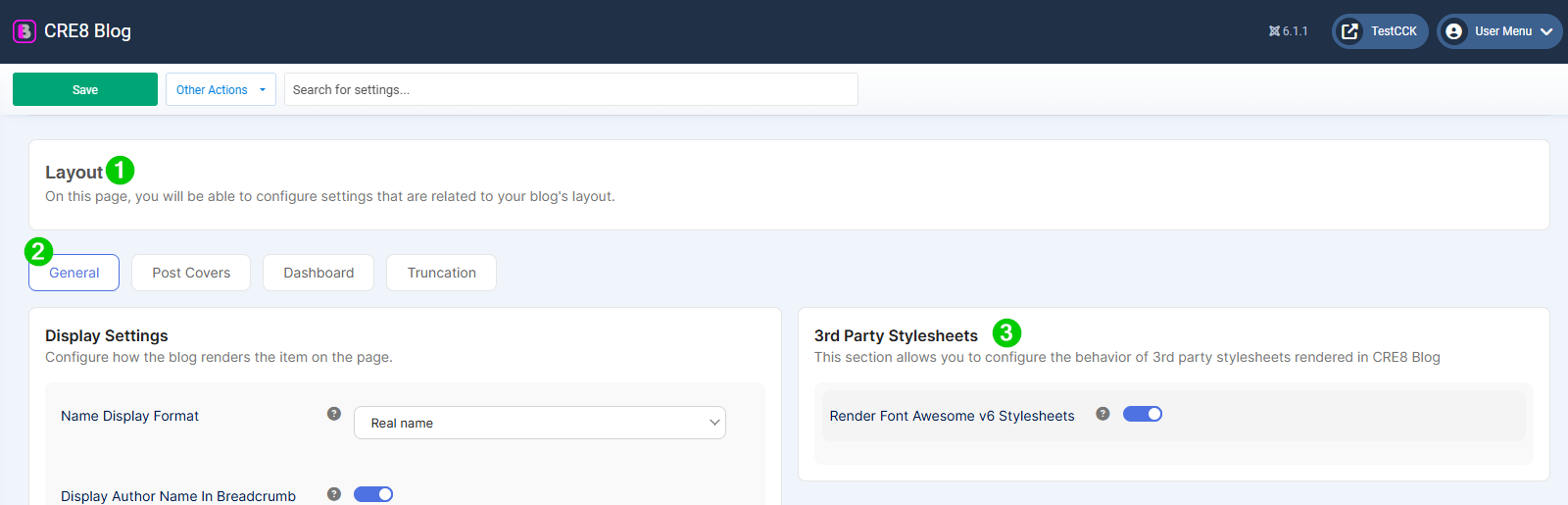
Please head to Settings / Layout / General and check if the rendering of the FA Stylesheets had been activated. 

fa.png

And a URL would be very helpful.

Thank you and best regards, Pascal

basfas

Hi Pascal,

Thank you for the quick reply.

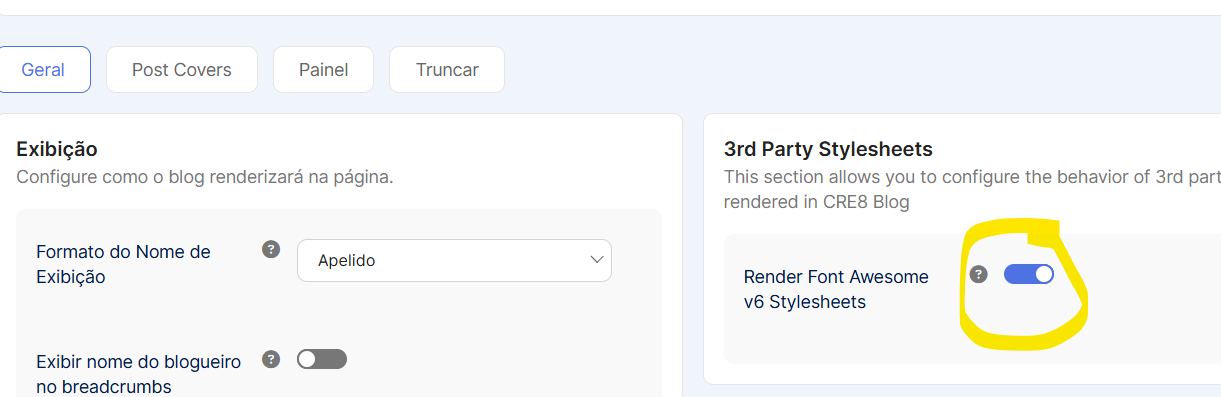
Actually, the "Render Font Awesome v6 Stylesheets" option was already activated in my settings (please see the attached screenshot).Captura_de_tela_2026-06-04_144439.png

Even with this setting turned ON, the icons still render as empty squares. The issue seems to be that while the FA6 stylesheet is loaded, the legacy EasyBlog elements (like <i class="fa fa-align-left"></i> or .fdi) are not receiving the required font-weight: 900 CSS property to render solid icons under Font Awesome 6.

After some testing, I found that the issue is solved by loading the FA6 v4-shims file, which automatically handles those legacy classes. I temporarily added these lines to my template's <head>:

<link rel="stylesheet" href="https://cdnjs.cloudflare.com/ajax/libs/font-awesome/6.4.0/css/all.min.css">
<link rel="stylesheet" href="https://cdnjs.cloudflare.com/ajax/libs/font-awesome/6.4.0/css/v4-shims.min.css">

It seems the EasyBlog toggle loads the main FA6 stylesheet but misses the v4-shims.min.css. Perhaps this shim file needs to be included natively when the FA6 option is enabled?

As requested, here is the URL to my website: https://sintetize.ia.br/podcasts/o-dilema-da-inovacao-por-que-empresas-brilhantes-fracassam

(Note: I have temporarily disabled my custom HTML fix so you can inspect the issue and see the empty squares live on the page).

Let me know if you need any more details.

Thank you!


CreativeGraphics Support

Hi Jarbas

I have indeed found some FA-instances still using the old classes in the codebase (thought that I changed them before...).

Removed all remaining, looks OK now. 

Have also added a safety net via CSS.

Will also be included in the next release (Monday, most probably).

Thank you very much for reporting.

Best regards, Pascal

Wir benutzen Cookies
Wir nutzen Cookies auf unserer Website. Einige von ihnen sind essenziell für den Betrieb der Seite, während andere uns helfen, diese Website und die Nutzererfahrung zu verbessern. Du kannst selbst enscheiden, ob du Cookies zulassen möchtest. Bitte beachte, dass bei Ablehnung womöglich nicht mehr alle Funktionalitäten zur Verfügung stehen.