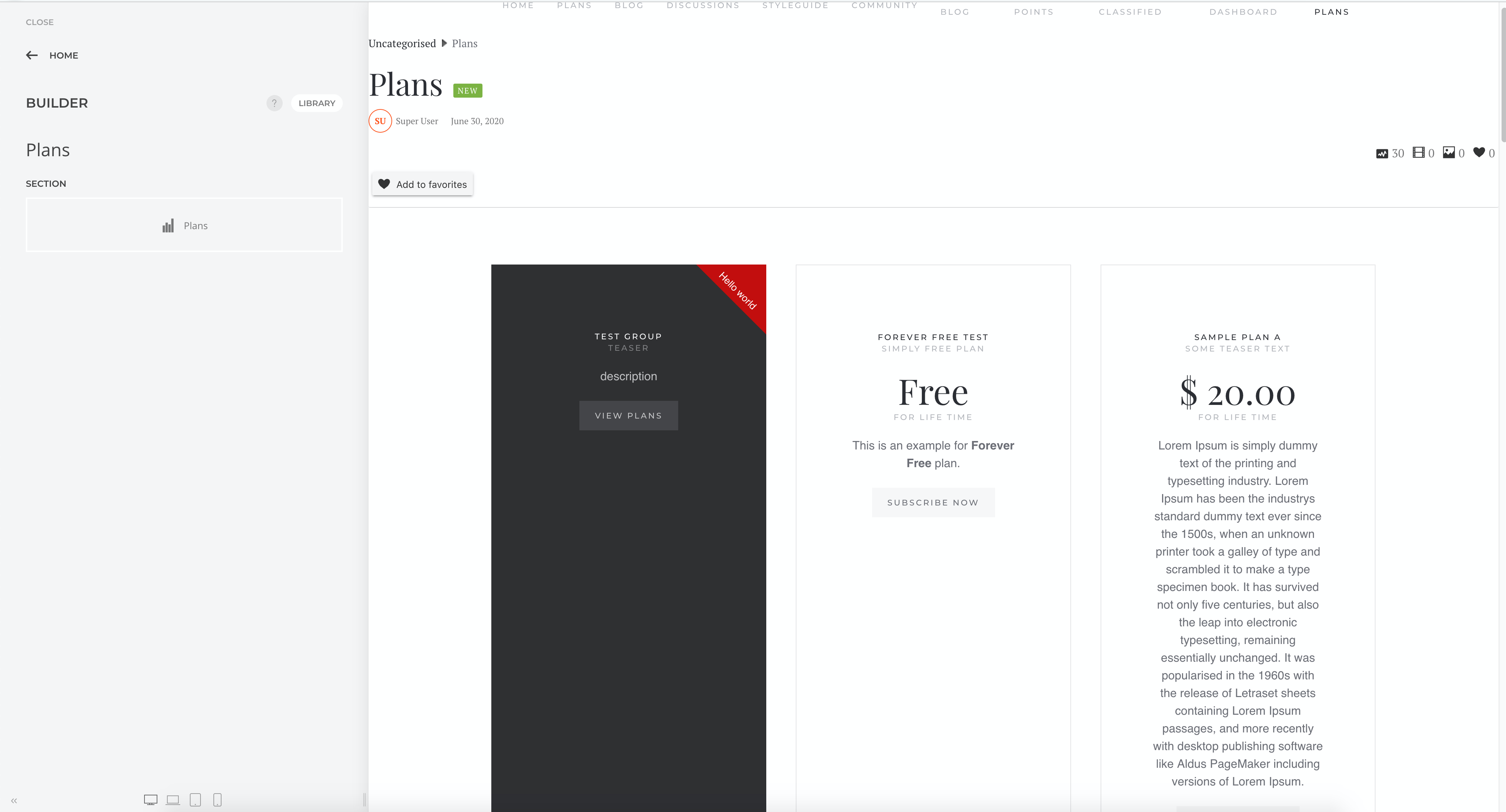
With PayPlans 4.2, you can now integrate PayPlans with SP Page Builder functionality. This allows you to use plan addon when you are creating pages in SP Page Builder.
Setting Up
This Sp Page builder Plan integration plugin is pre-installed on your Joomla! site upon installing PayPlans. You will need to follow the steps below:
Go to SP Page Builder and create Page.
When you click on "Addon" it will show pop-up , inside the list of Addons you will find the Plan addon.
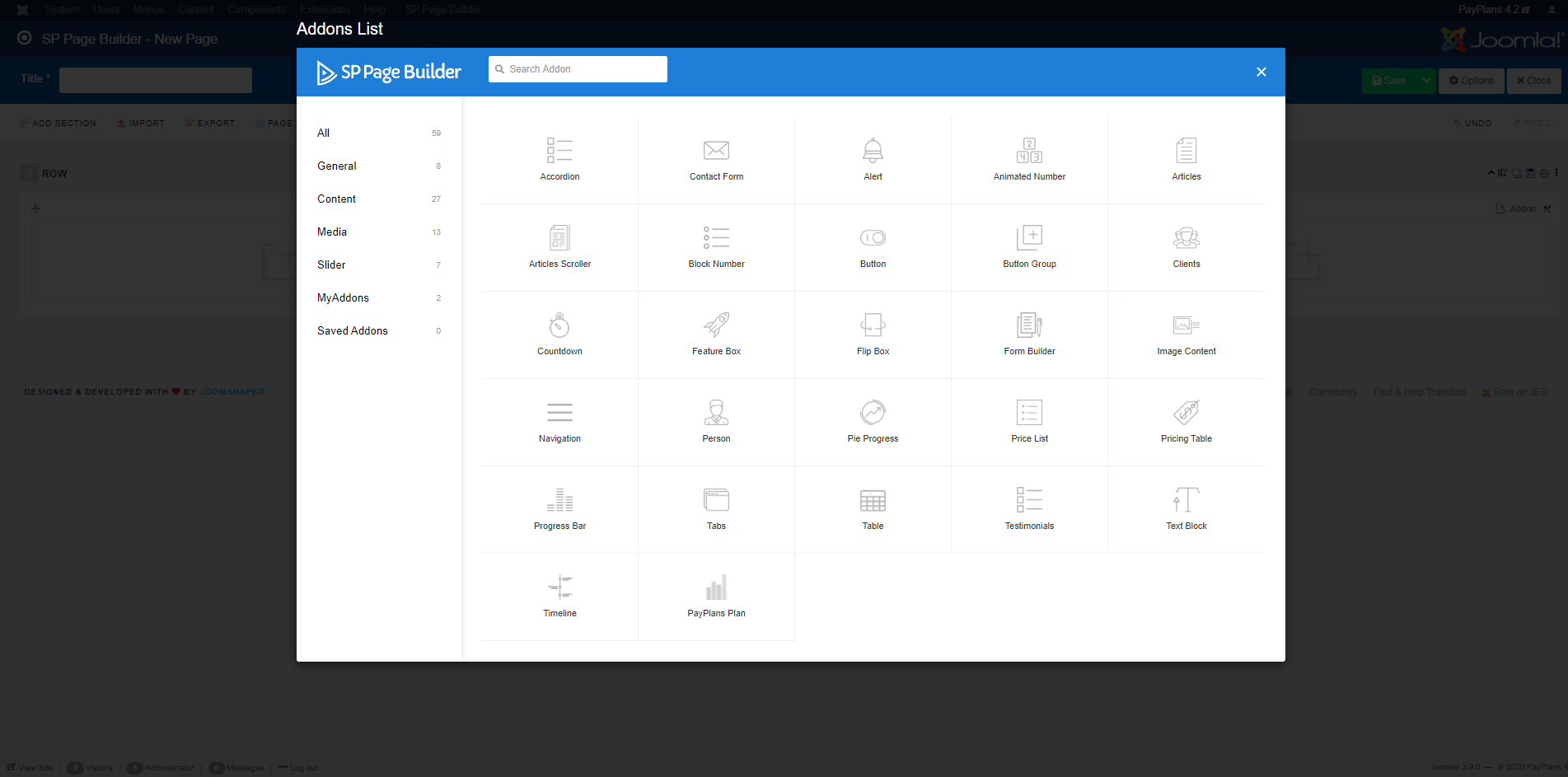
Once "Plan" Addon selected, you will need to chosse the plan and configure other settings.
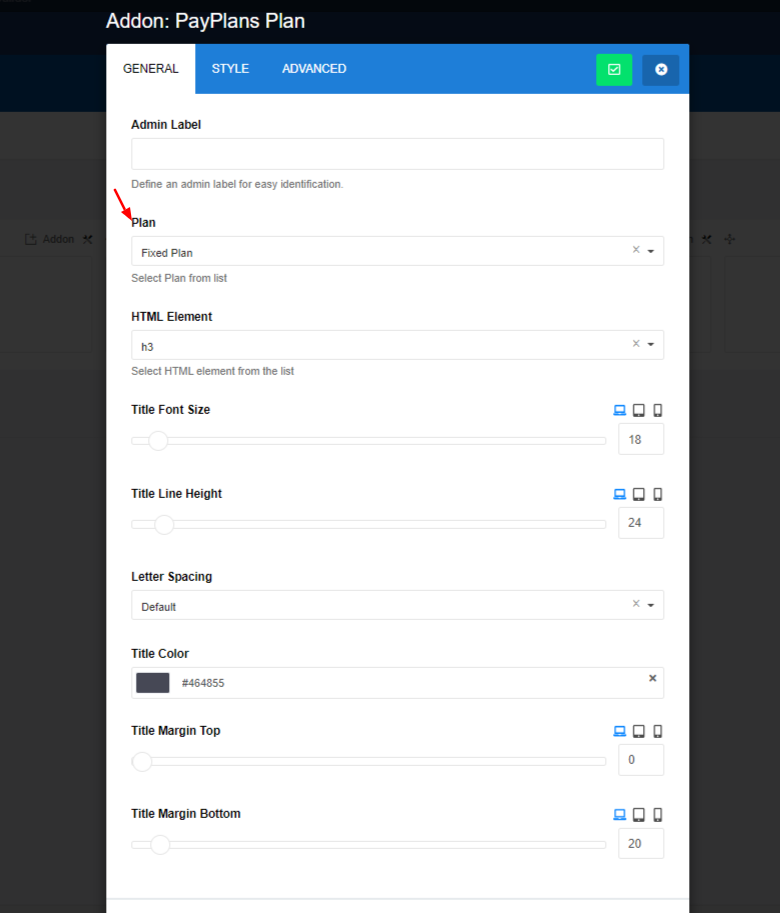
Proceed to the
Buildersection and you can now add the newPlanselement