
Documentation

IMPORTANT

This is the outdated SI-documentation which will be adapted soon. A huge part may be obsolete!

Spotify Block

Spotify

Spotify is a commercial music streaming. Music can be browsed or searched by artist, album, genre, playlist, or record label.

Here's how you can display Spotify in EasyBlog:

  1. Drag and Drop Spotify block into your editor.
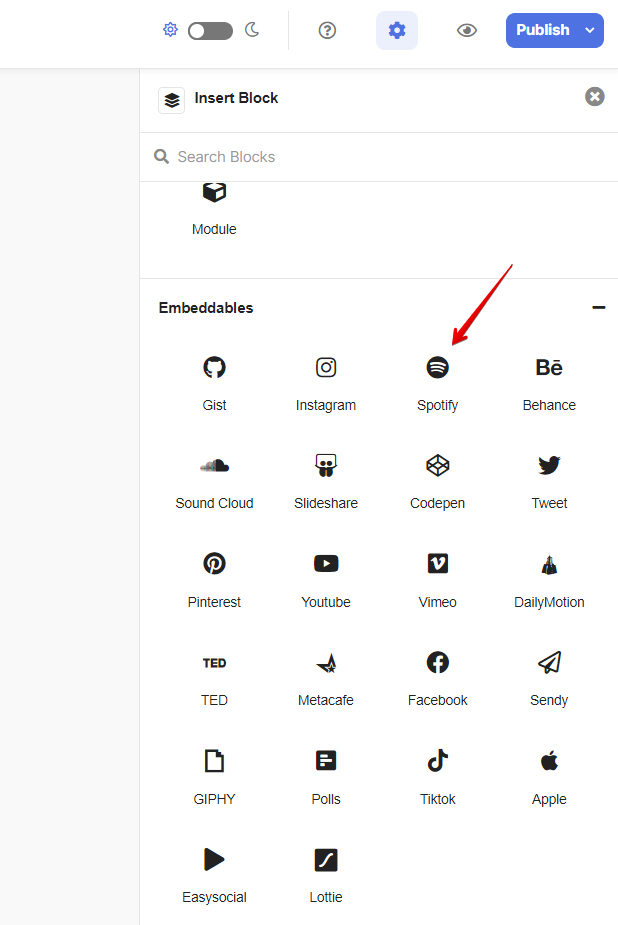
    Spotify Block

  2. Open your spotify, right click on the song title. Then click on Copy Track Link

    Spotify Block

  3. Paste the track link and click on Embed Spotify

    Spotify Block

  4. Click on Publish Post button to publish your post. Here is the result.

    Spotify Block

We use cookies
We use cookies on our website. Some of them are essential for the operation of the site, while others help us to improve this site and the user experience. You can decide whether you want to allow cookies or not. Please note that if you reject them, you may not be able to use all the functionalities of the site.