
Documentation

IMPORTANT

This is the outdated SI-documentation which will be adapted soon. A huge part may be obsolete!

Enable Comments For Selected Articles

There are times where you want to enable comments on selected articles on the site and not everywhere. With Komento, this can be easily achieved by following the very simple steps below:

  1. Only enable comments that you want to appear in the respective categories under Settings > Integrations > Joomla Article.
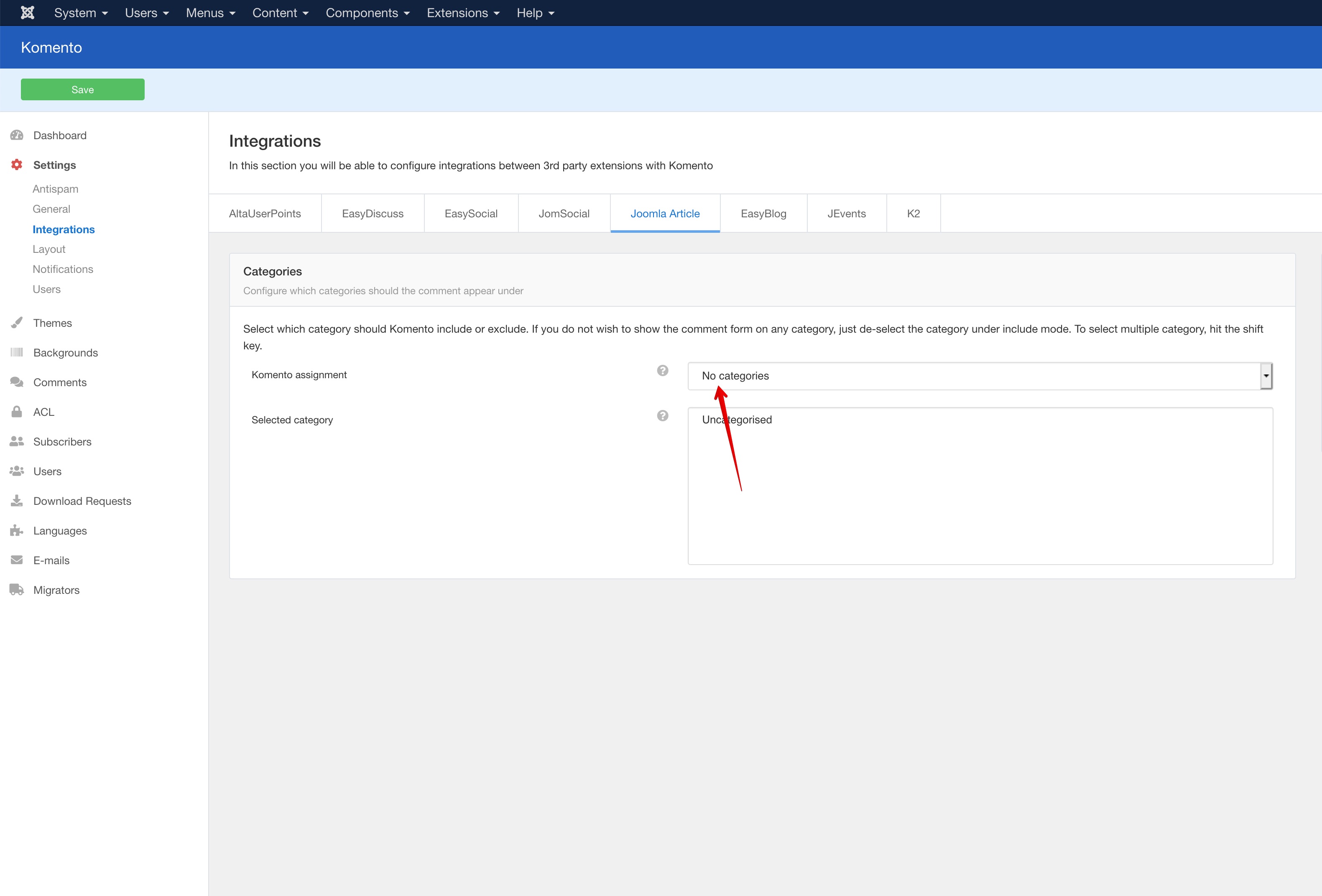
    Sort Comments

  2. Once the category is excluded, add the following tag to the content of your article:

    {KomentoEnable}

  3. Save your article and purge the cache of your site if necessary and the Komento will be rendered on your desired articles

We use cookies
We use cookies on our website. Some of them are essential for the operation of the site, while others help us to improve this site and the user experience. You can decide whether you want to allow cookies or not. Please note that if you reject them, you may not be able to use all the functionalities of the site.