This feature allow authors on the site to include the high-quality photos from Unsplash onto your blog post easily.
Do make sure that you had registered an account at Unsplash before you proceed. If you haven't do so, you can sign it up at here.
To enable the integration with Unsplash, do follow the steps below:
Head to Unsplash Developers page first, then access Your apps to create a new application for it.
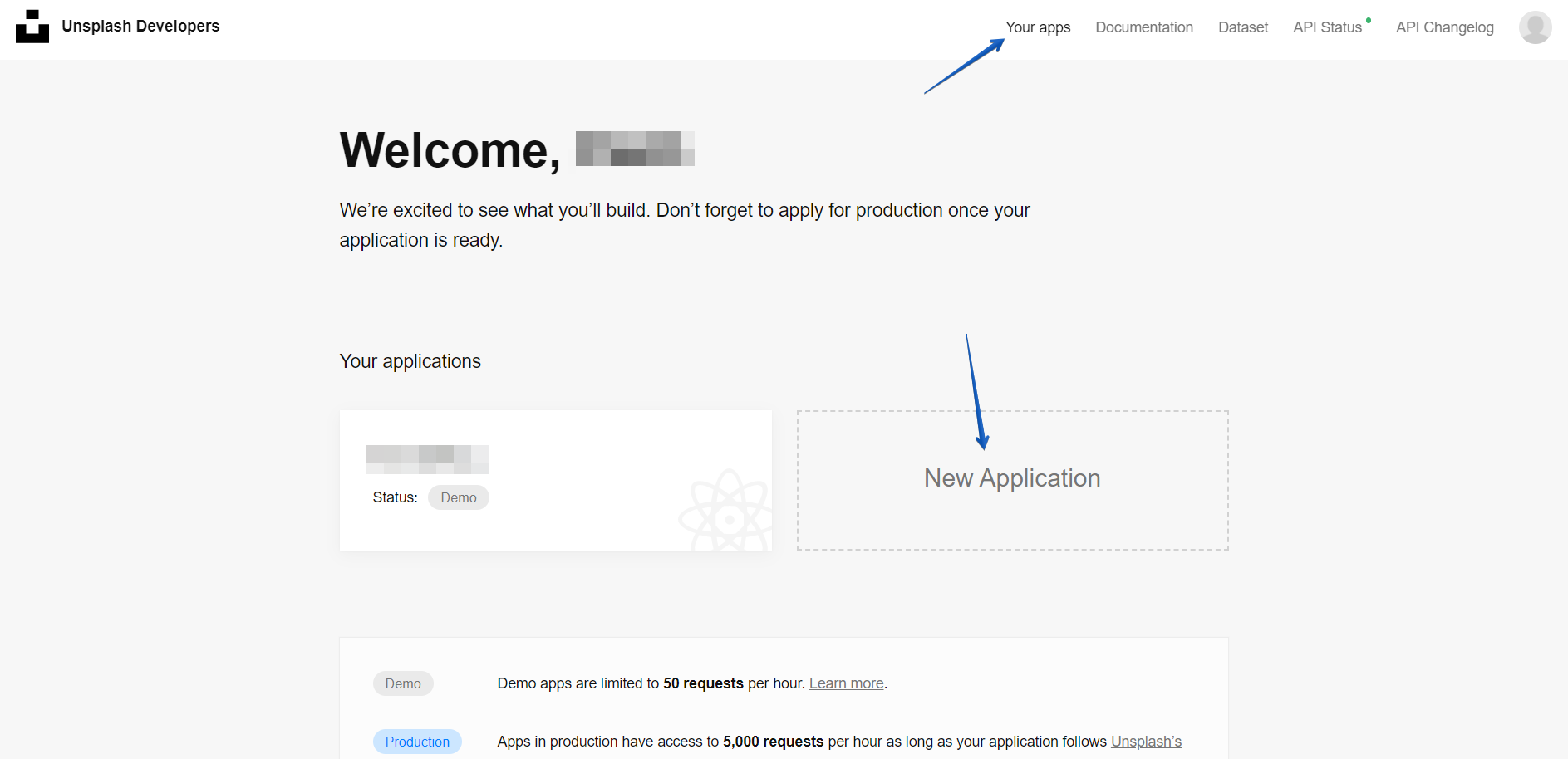
Once you have created your application, open your created application and scroll down to the Keys and Application information section and copy both of it.

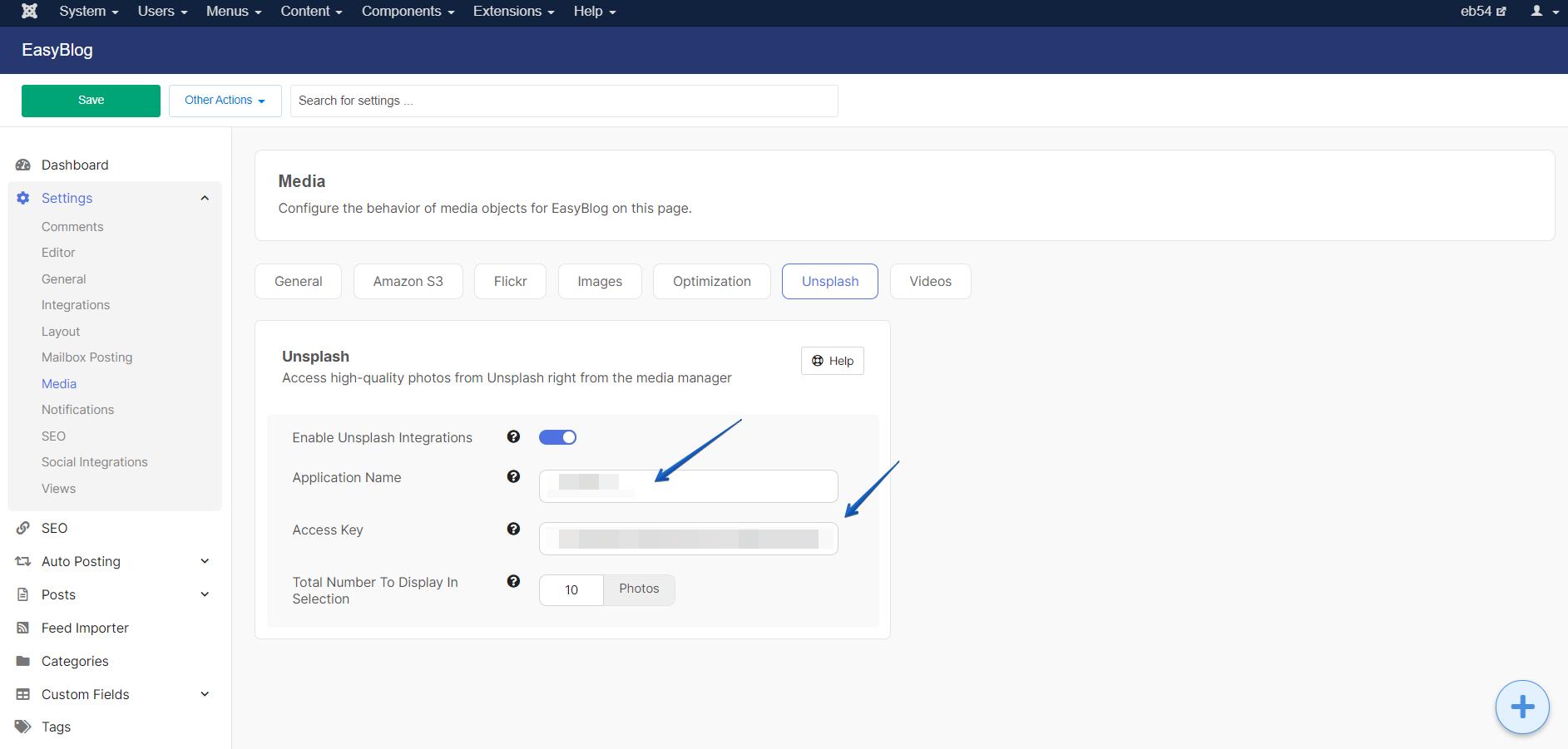
Paste the Access Key and Application name into the settings respectively.
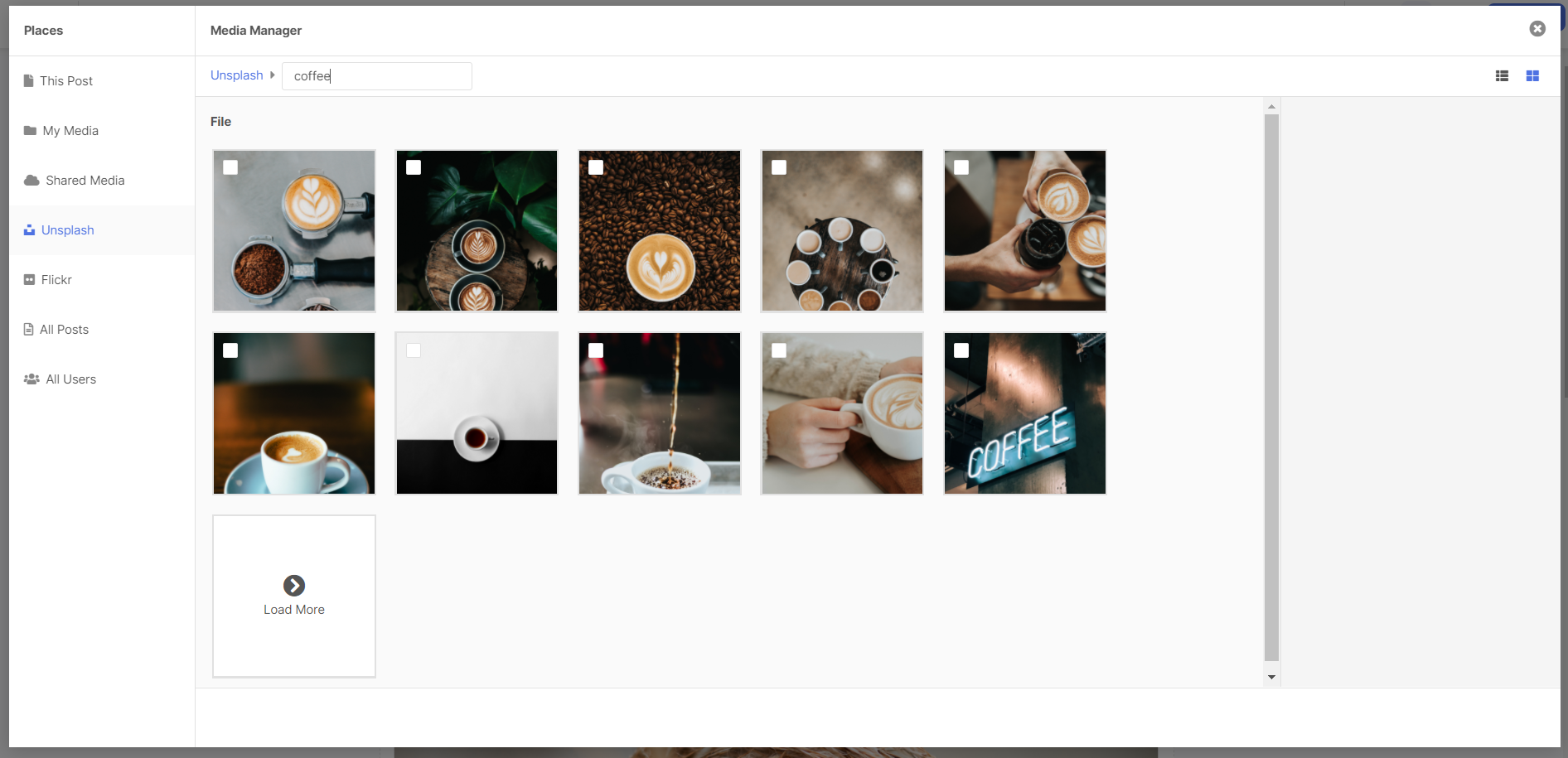
After that, you should able to see the photos from Unsplash in the section of Unsplash at the Media Manager of the composer.


That's it and you are good to go! Happy Blogging!