Here we'll guide you on how to post a blog into a team blog.
You need to check whether you have a Team Blog in EasyBlog. How to set up Team Blog.
You need to be a team member to post into this Team Blog. How to add member in Team Blog
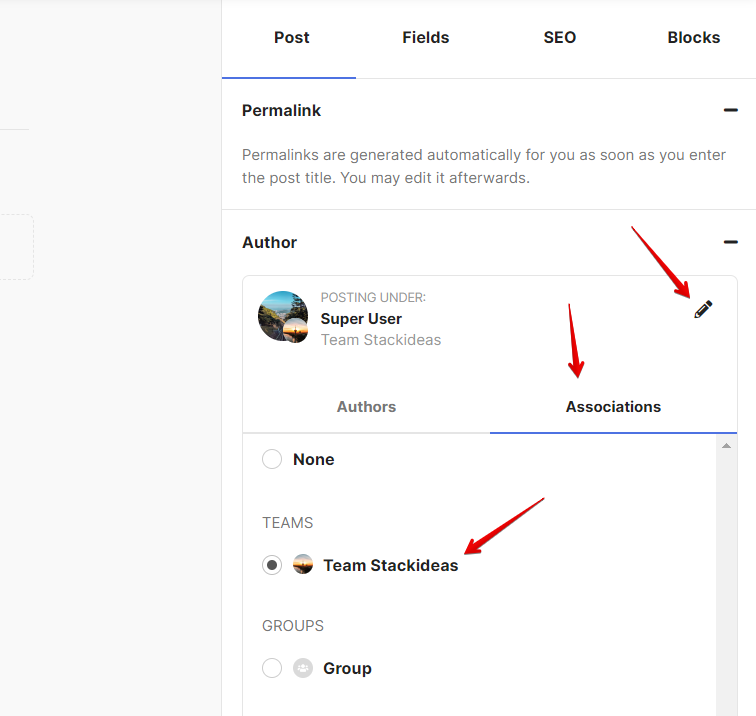
If you now have a Team Blog on your site and you're one of the team member, then you can proceed posting blog into the Team Blog. In order to do that, click on create new blog and it will load up the Composer. You can choose to post into your Team blog by clicking this button. Click on Associations and choose your Team Blog. Please refer to the image shown below.
Once you have finished composing your blog post, you can publish it.
