MailChimp app will allow your site to use Mailchimp as your medium to send notifications and included them on Mailchimp mailing list based on users subscriptions.
MailChimp App Configuration
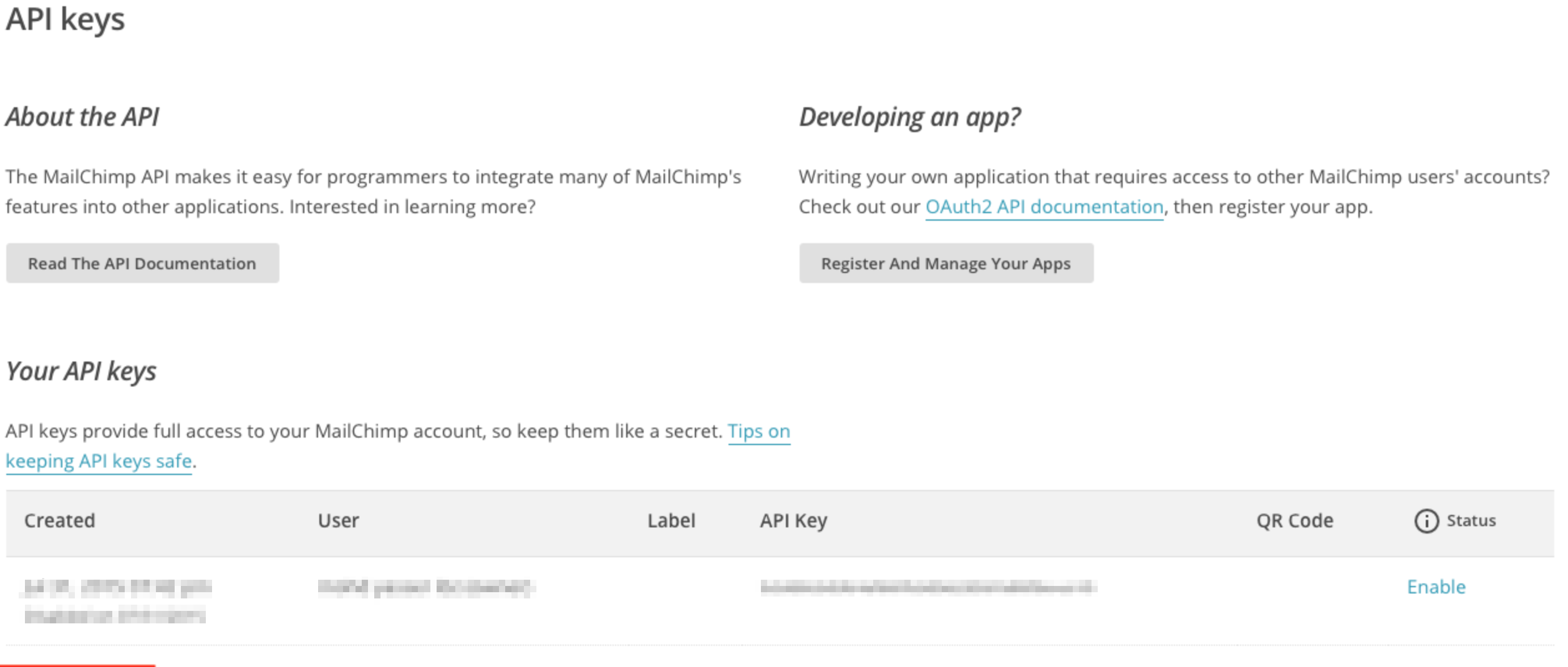
You will need to have API keys for Mailchimp first in order to use this features. Refer below on where to find API key for Mailchimp Mailchimp > My account > Extras > API Keys.
Navigate to and create a new instance of this app at PayPlans > Apps > New > MailChimp.
Assign this instance to all plans using the Apply on All Plans setting or select specific plan if you want assign this instance to specific plan only.
The app will not take effect on plans that are not selectedMailchimp Tree app specific parameters in Parameter section as described below:
Include those Api and your merchant emails on your apps first and saved them.

Other settings will be shown once you saved them as you explained below.
Add to Mailing List(On Subscription Active) : Add user to the selected mailing list when subscription status is changed to Active.
Add to Mailing List(On Subscription Hold) : Add user to the selected mailing list when subscription status is changed to Hold.
Add to Mailing List(On Subscription Expire) : Add user to the selected mailing list when subscription status is changed to Expire.

