K2 category access integration grants user access to different categories in K2 depending on user subscription.
K2 Category Access Control App Configuration
Navigate to and create a new instance of this app at
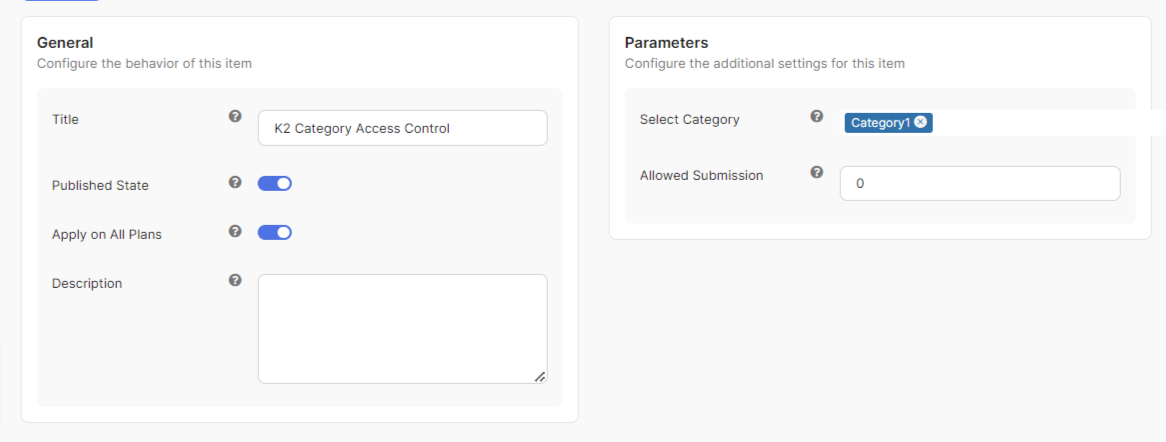
PayPlans > Apps > New > K2 Category Access Control.Assign this instance to desired plans using the Apply on All Plans setting.
The app will not take effect on plans that are not selected.Select one or more K2 categories in which you want to apply the restriction under the Select Category setting.
Set the post limit which you want to enforce on the Allowed Submission. With this, newly subscribed users can only submit this amount of post before PayPlans restricts them from posting more.

NOTE:
- Subscribing multiple times to the plans listed on step 2 will stack the amount of submission.
- Changes made on the app will only affect new subscribers.
- Subscribing multiple times to the plans listed on step 2 will stack the amount of submission.
- Changes made on the app will only affect new subscribers.